Smart Reputation Management: Reply to Reviews
Jul 09, 2025●
1
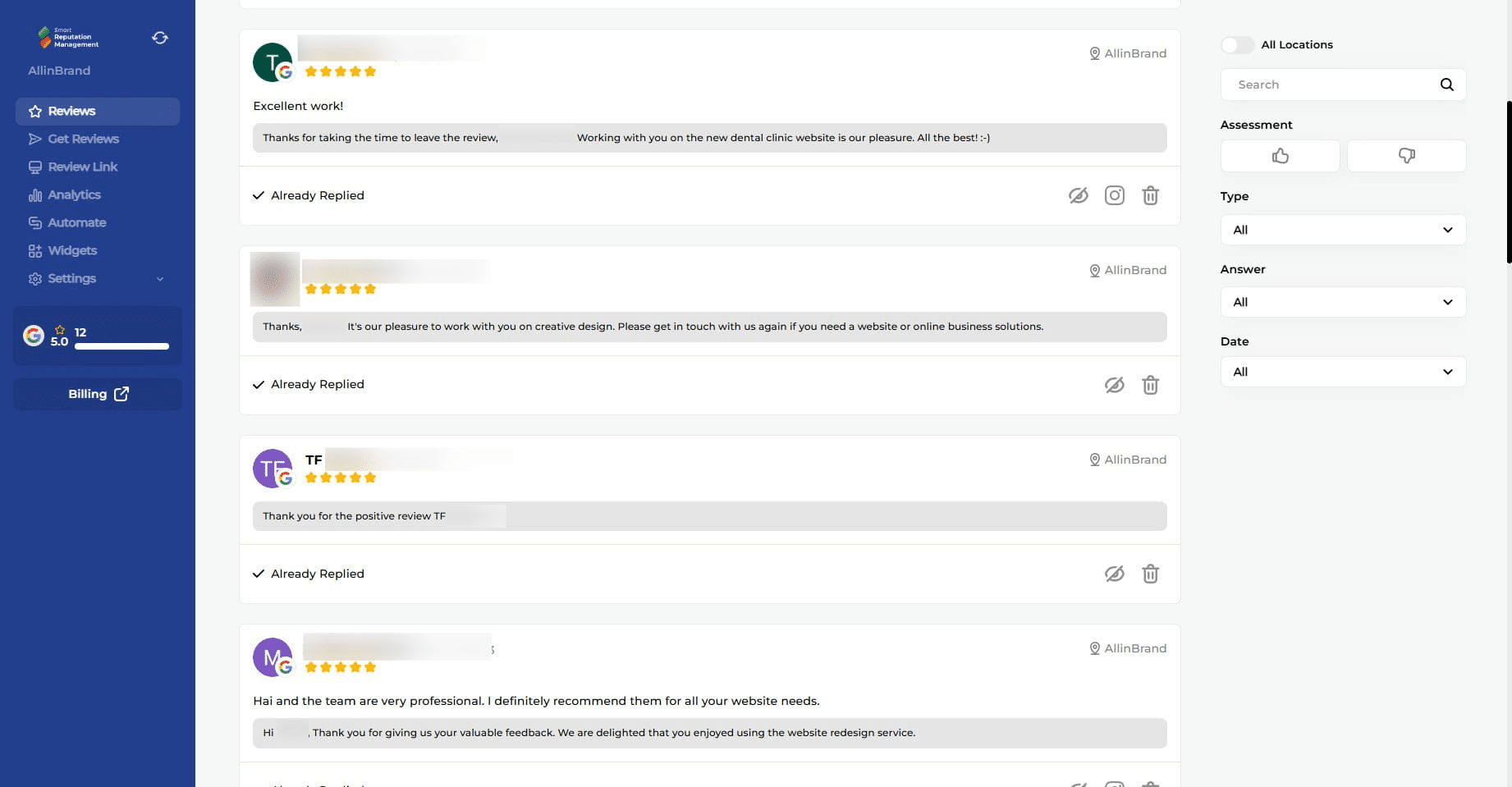
Navigate and log into https://app.smartreputationsystem.com/
2
Click this icon
3
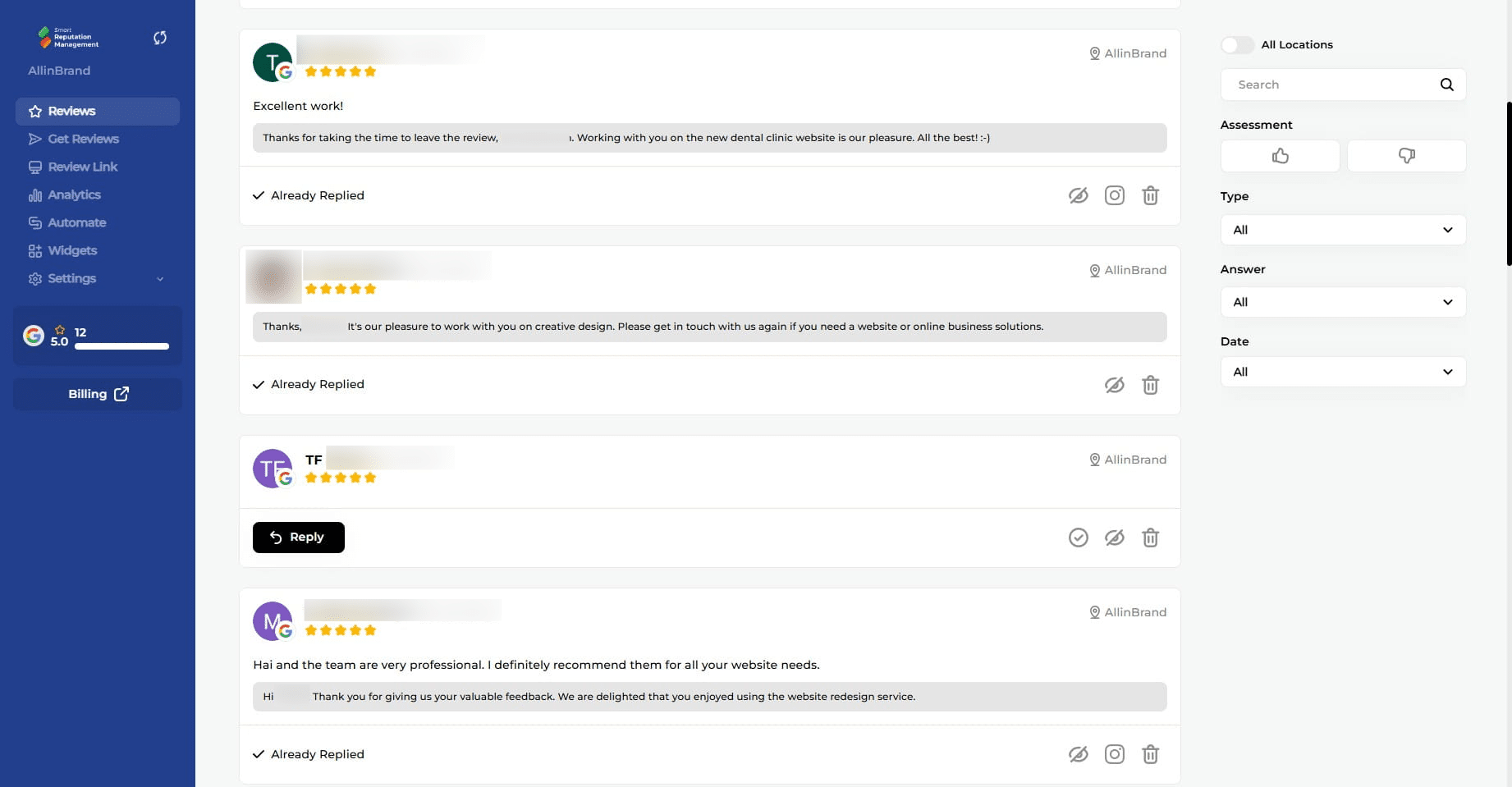
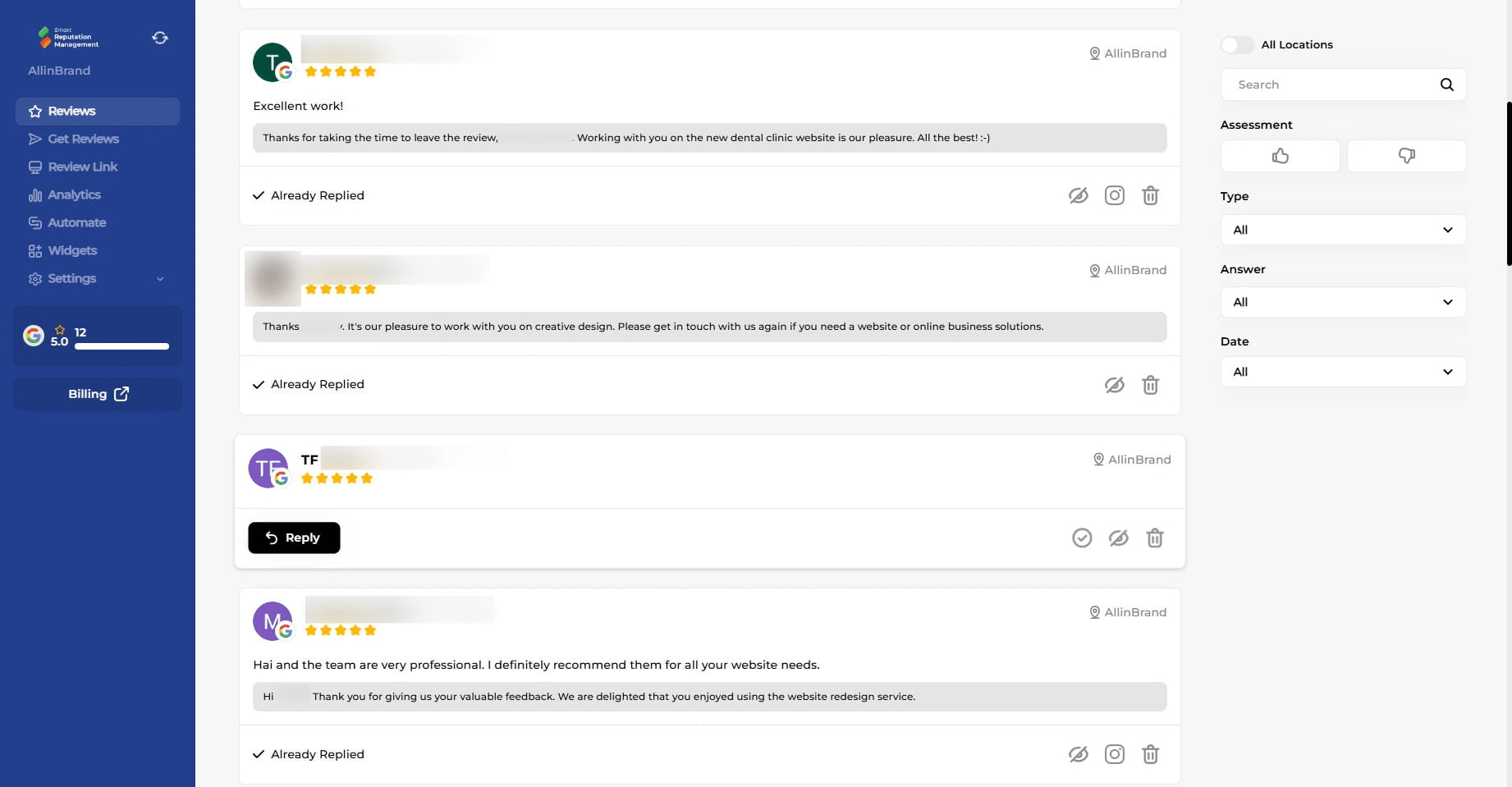
Click the "Reply" button where available.
4
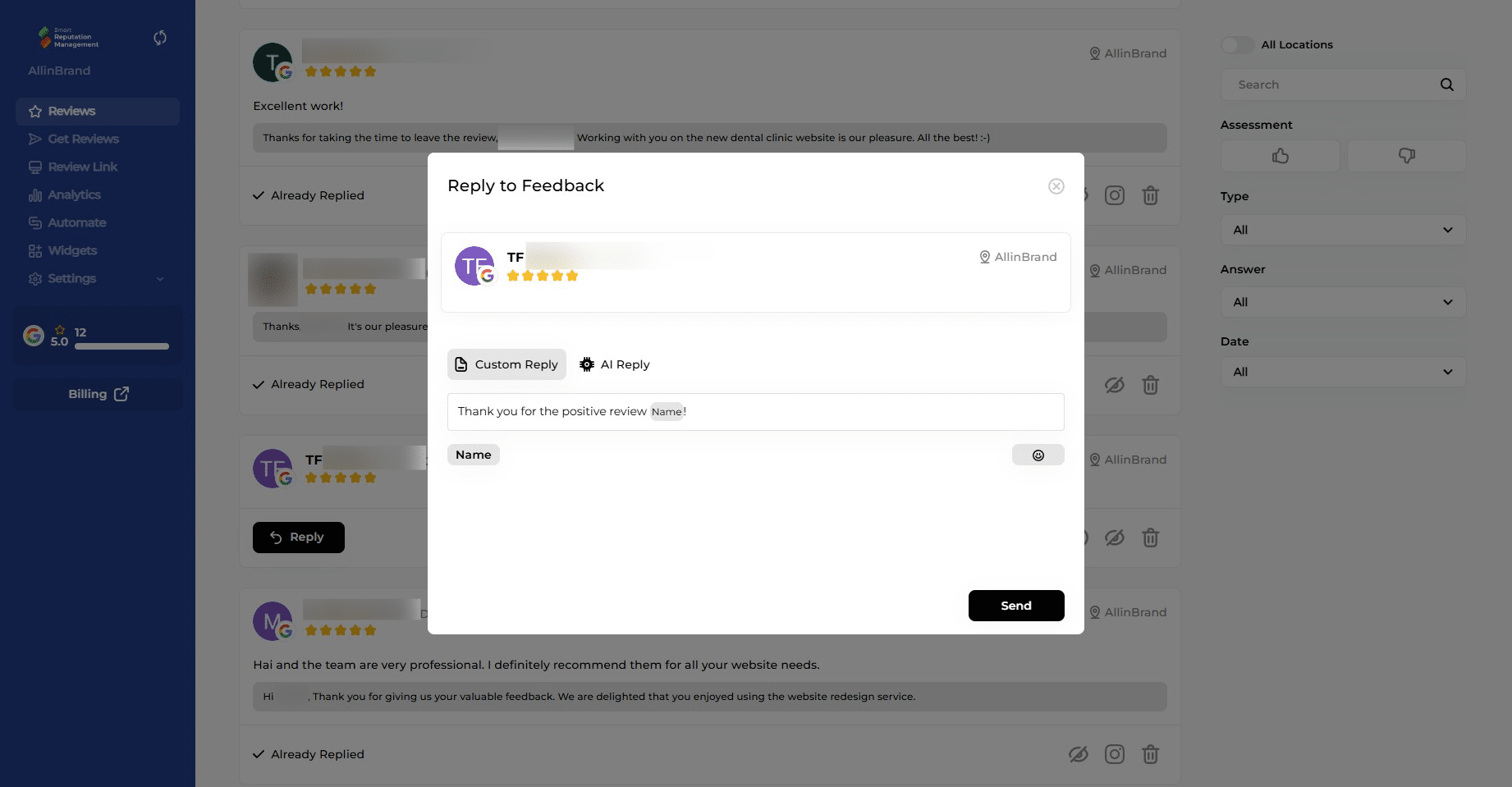
Click on the text box and customize your reply or proceed with the default message "Thank you for the positive review <Customer's Name>!
5
Click on "Send"
6
Done 🚀