CEN Mobile App/Lead Connector: How to Add a Contact
Click here to edit the description
Sep 03, 2024●
1
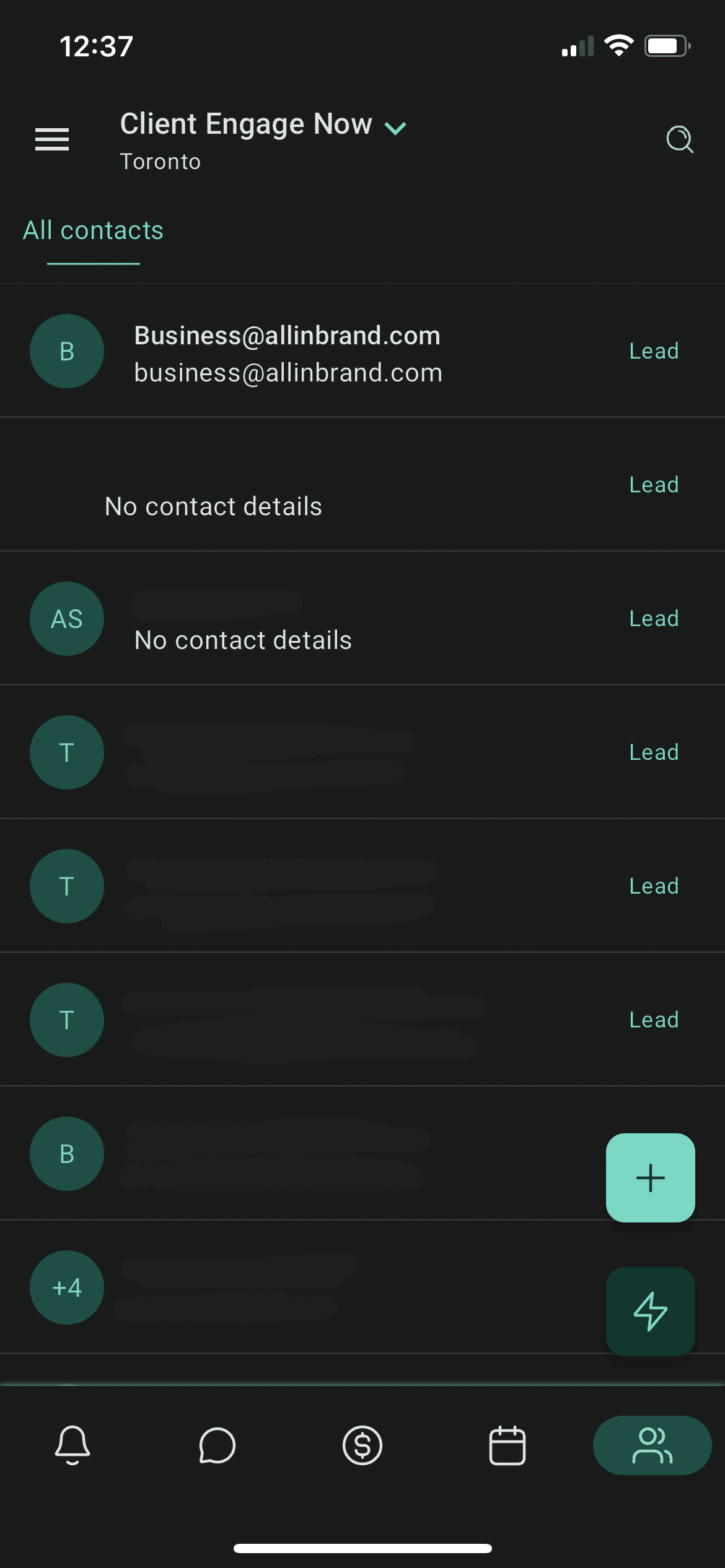
To add a contact, navigate to the Contacts tab in the Lead Connector Mobile App
2
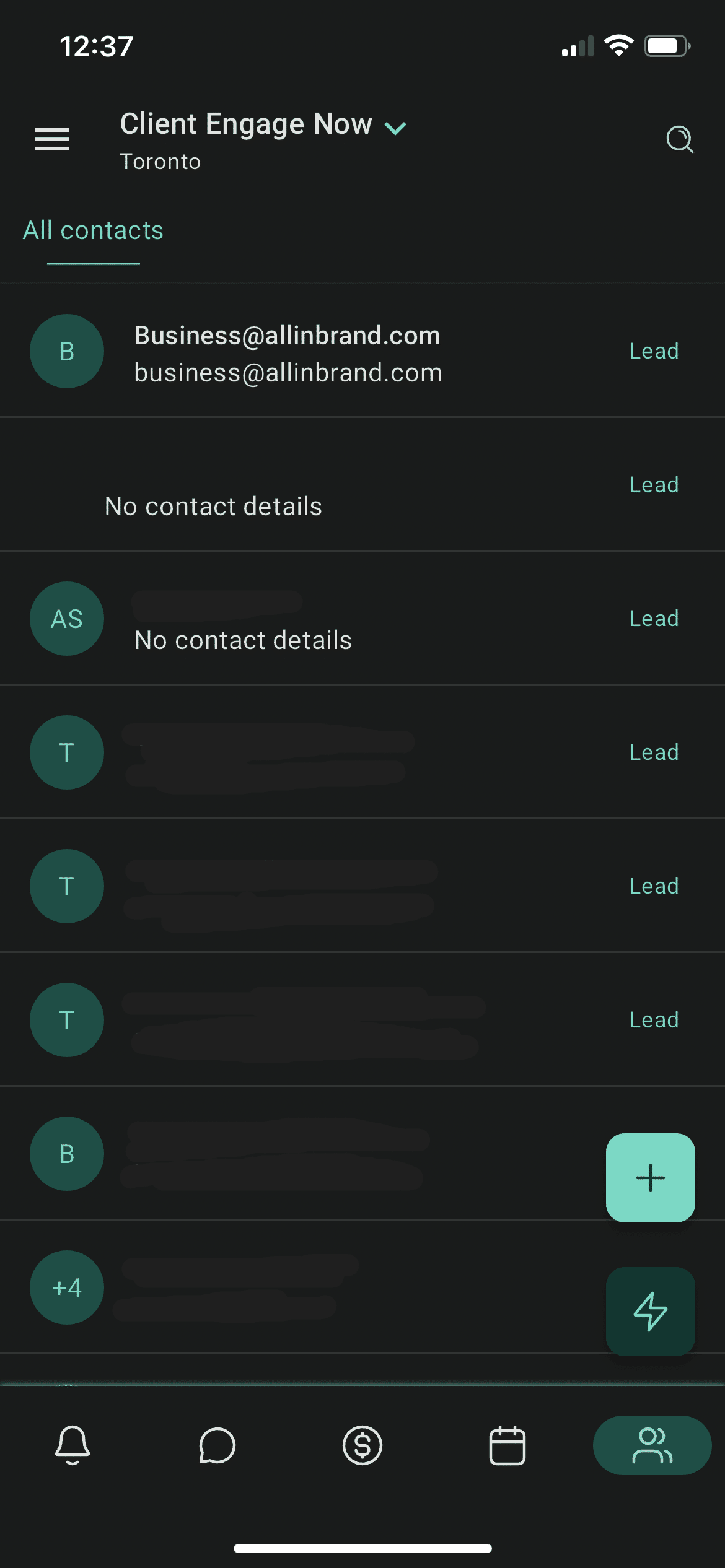
Tap on the " + " icon at the bottom right of the screen to add a new contact.
3
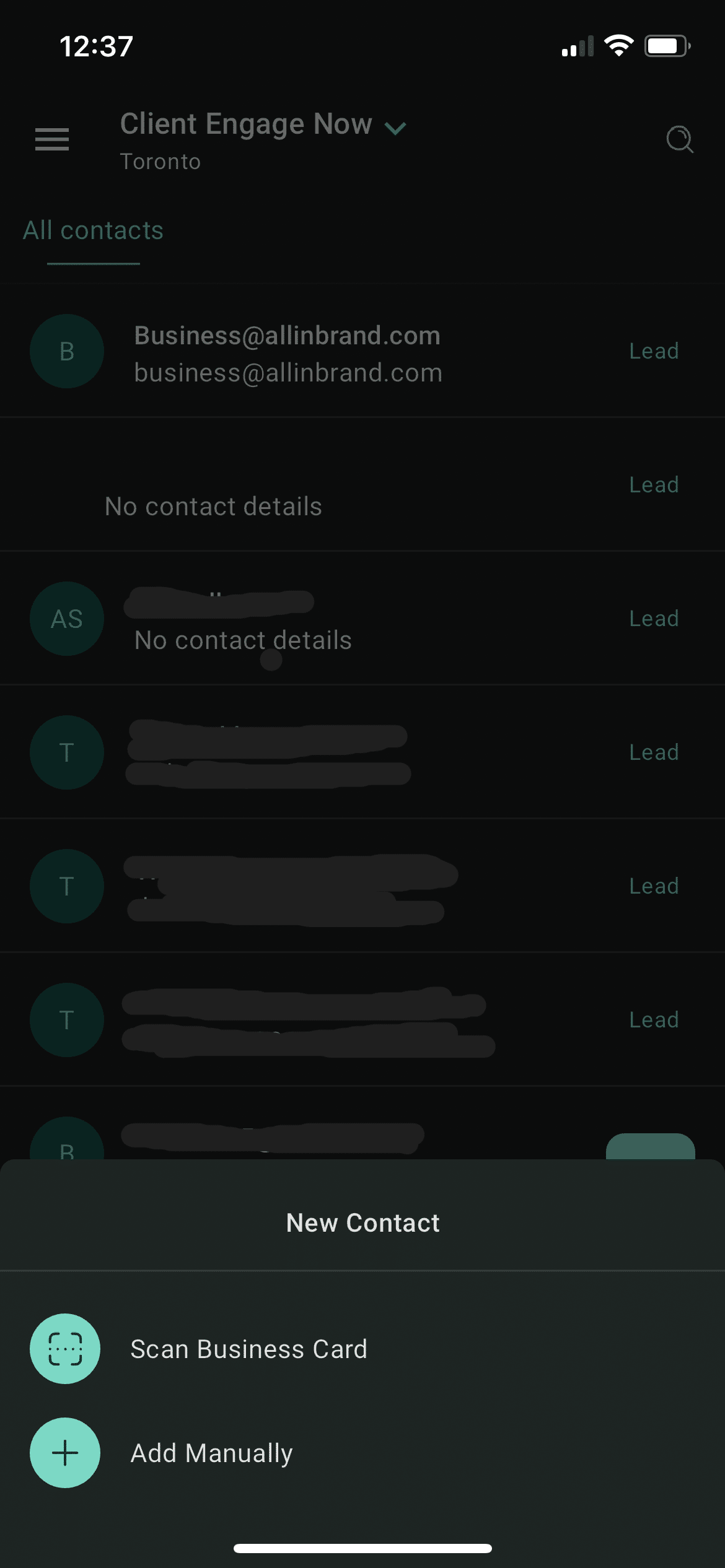
You can either Scan a Business Bard to automatically create a contact or select Add Manually to create the contact details yourself.
4
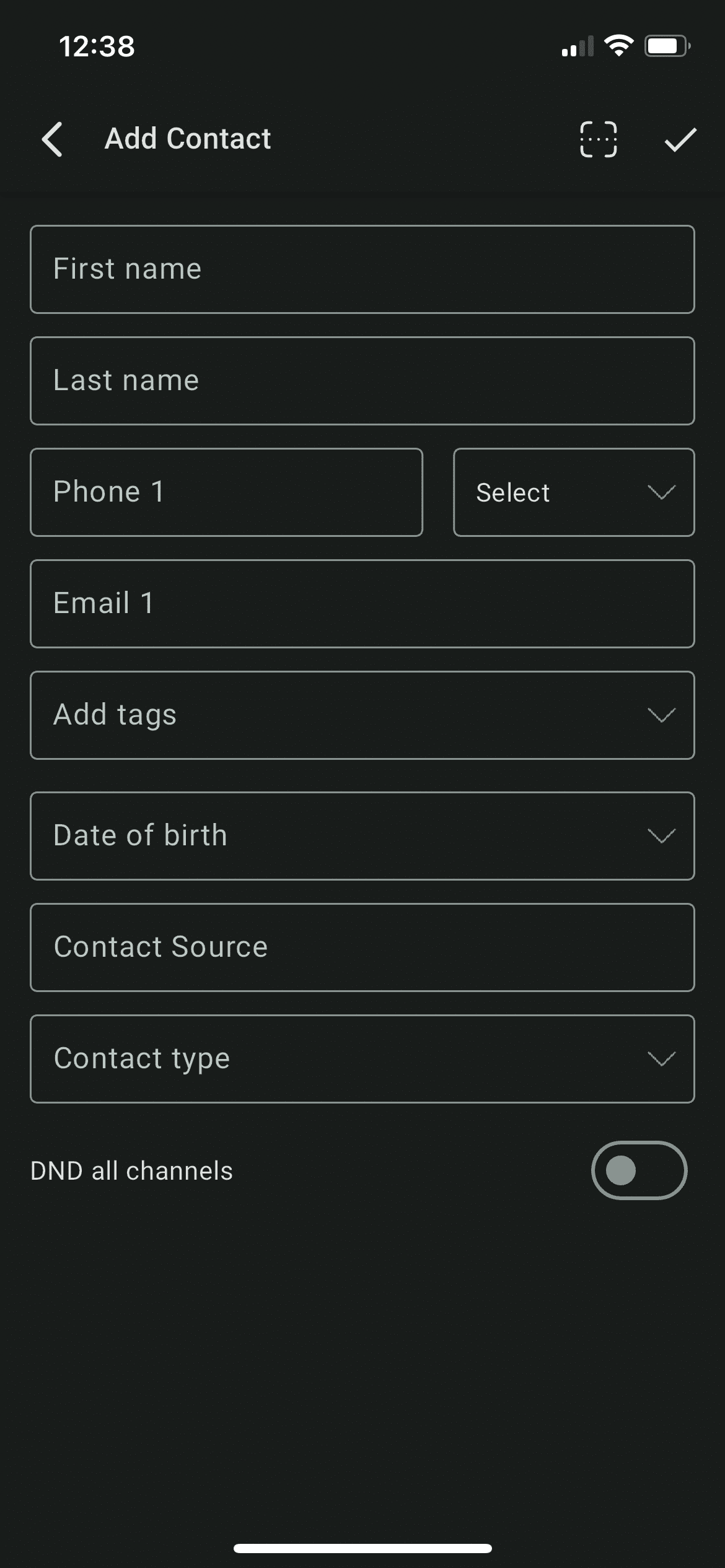
Enter all necessary contact details and tap on the check mark icon at the top right corner of the screen once you're done🎉